Professional / Industrial Connector Field Guide
Practical connector selection for rugged, industrial, military-style, and electromechanical systems.
The source-verification milestone shipped with v1.0, and the guide is continuously reviewed after it — the Source Notes dashboard is the standing record. Corrections are welcome—bring sources. This is an educational engineering reference, so verify ratings, qualifications, tooling, and environmental limits against current datasheets, governing standards, qualified-products listings, and your program or customer requirements.
Picking connectors is harder than it should be. The useful information is scattered across datasheets, standards, catalogs, vendor naming systems, and whatever the last engineer remembers. This guide pulls that mess into one place. It's for engineers who aren't connector specialists but still need to turn “I need a plug here” into something procurement can buy, manufacturing can build, and a technician can service later.
You don't need to become a connector wizard. You need to classify the interface, pick a sane family to investigate, know which specs matter, spot the usual traps, and document the result well enough that nobody has to reverse-engineer your intent later.
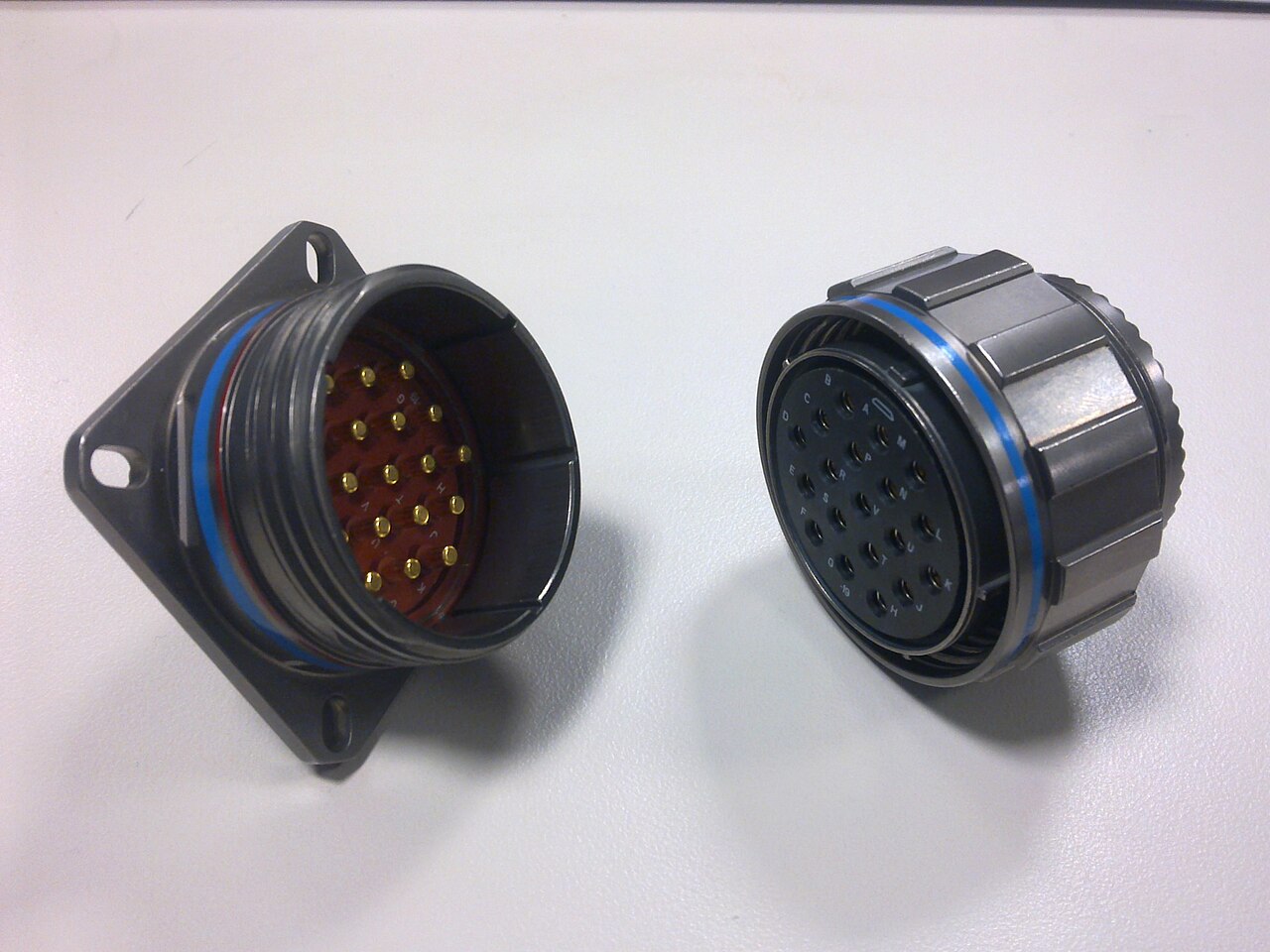
A rugged circular is not just a shell with enough contacts: the insert arrangement, keying, coupling, backshell, contacts, and mating half all belong to the controlled interface. Photo: Abaillieul, CC BY-SA 3.0, via Wikimedia Commons.
A connector is a controlled interface between subsystems. It carries power, signals, and data; survives the environment; defines the service boundary; and becomes a configuration-controlled item in your released design baseline.
This guide teaches engineering judgment. It does not replace applicable standards, manufacturer datasheets, safety requirements, customer specifications, qualification requirements, or program-specific design rules. Before anything goes into released hardware, verify the exact ratings, part numbers, tooling, assembly instructions, and qualification status. If this guide disagrees with a datasheet, applicable standard, customer requirement, or qualified program requirement, the source requirement wins.
Start Here: Pick a Connector
Use these cards to get to a reasonable starting family before you disappear into catalogs and datasheets. If you are still trying to figure out how to search, start with How to Search for Connectors.
Want a step-by-step walkthrough? Every card above links to a full Decision Path that walks the scenario from "I need a connector here" to a documented, buildable choice.
Breadboards, Arduino/Raspberry Pi/ESP32 wiring, 3D printers, LEDs, RC power, connector kits from online marketplaces — that ecosystem has its own naming chaos and its own guide. See the Hobby Connector Field Guide, or Hobby or Professional? if you're torn.
Who this is for
- Mechanical engineering interns
- Junior electromechanical / mechatronics engineers
- Robotics and controls engineers
- Small hardware teams
- Makers transitioning into professional hardware design
What this guide helps you do
- Classify the interface you are trying to build
- Pick a sane connector family to investigate first
- Know which specifications actually matter
- Avoid common beginner traps
- Turn a loose connector choice into a buildable, documented interface
What this guide is not
- Not a connector catalog
- Not a replacement for standards
- Not a manufacturer datasheet
- Not a qualification document
Use the guide
- How to search for connectors
- What connectors actually do
- Connector selection workflow
- Decision paths — scenario-based starting points
- MIL-DTL-38999 deep dive and MIL-DTL-26482 mini deep dive
- M12 deep dive, DEUTSCH deep dive, and Micro-Fit 3.0 deep dive
- Low-Level Signals and Contact Design — dry circuits, gold vs. tin, fretting
- Lifecycle and Procurement Integrity — PCN/EOL, obsolescence, counterfeit avoidance, alternates
- Practical checklist
- What people forget
- Hands-on exercises
- Tools & templates and worked examples: Rugged Control Box, Connector Selection Packet, M12 Sensor Interface
- Using this guide with an intern — the mentor's sequencing of all of the above
Source discipline
The Markdown files under docs/ are the canonical guide source for every published page. The professional core is organized as the 14 numbered guide sections plus appendix/; decision paths, tools, examples, supplemental deep dives, shared references, and the hobby track live alongside it. Source-verification status is maintained in Source Notes, with hobby-specific status in Hobby Source Notes. Datasheets, applicable standards, customer requirements, and qualified program requirements always win over the guide.